01
The files stay yours
Drop in what you already own. MusicFlex reads the folder you give it — it doesn't relicense, re-encode, or hide your library behind a catalogue that can revoke a track overnight.
 MusicFlex
Get Music Flex
MusicFlex
Get Music Flex
Music Flex is a universal music player for iOS (and soon to be Mac and visionOS).
Your library lives in filess that you organize to your taste. Transferring on to device is made effortless through WiFi-Connect.
MP3M4AFLACAACWAVAIFF
01
Drop in what you already own. MusicFlex reads the folder you give it — it doesn't relicense, re-encode, or hide your library behind a catalogue that can revoke a track overnight.
02
No account, no cloud, no telemetry. The music lives in the app's own folder on the device, and it plays with the network switched off entirely.
03
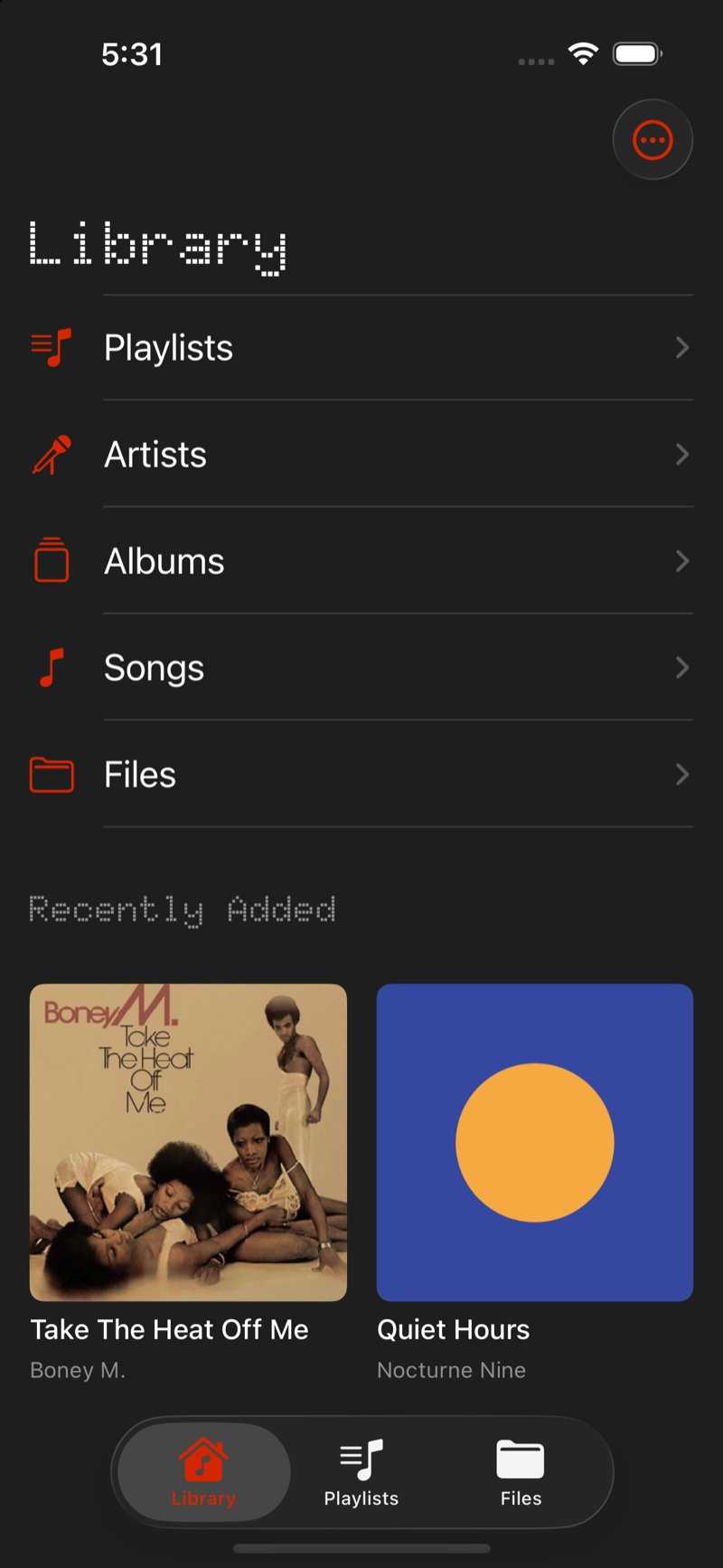
Artists, Albums and Songs are all there — but the folder tree you built over twenty years is a first-class citizen, not something to be flattened into somebody's idea of a library.
Wi-Fi Transfer
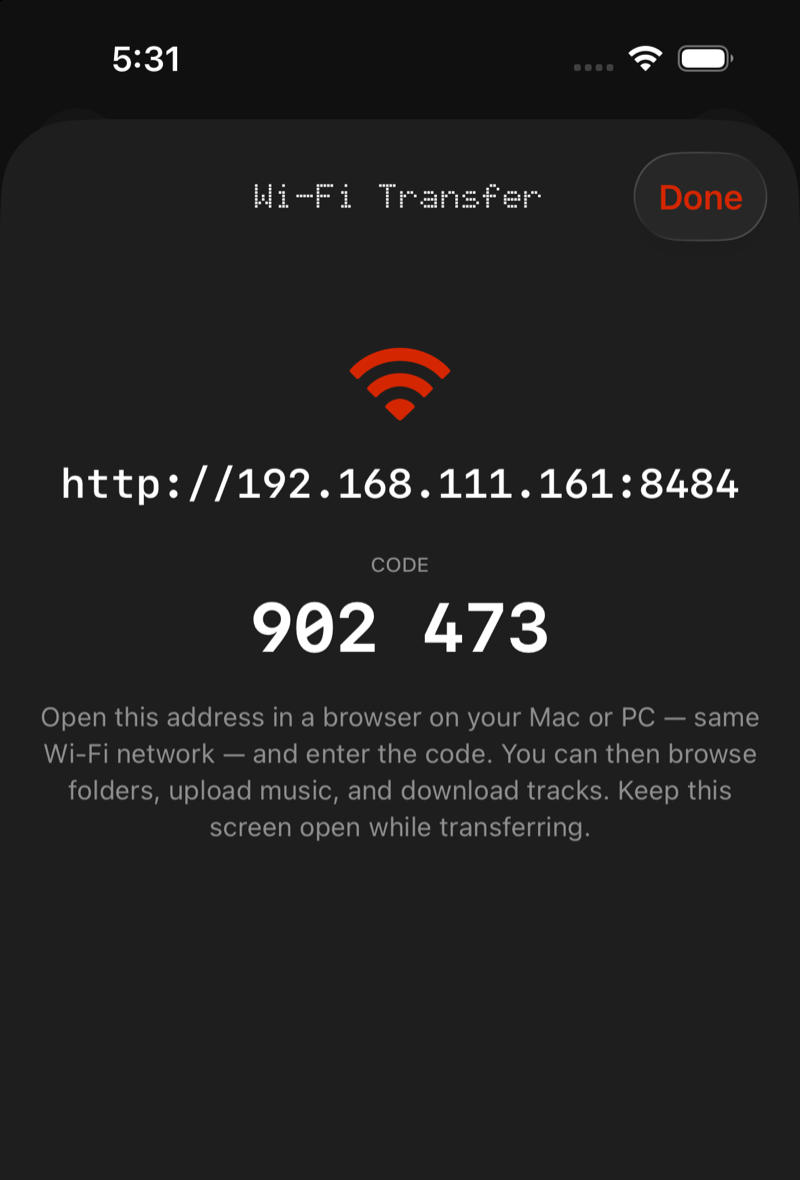
Open Wi-Fi Transfer, and the app puts a small web server on your local network. Type the address into any browser on the same Wi-Fi — macOS, Windows, Linux, it doesn't matter — enter the pairing code, and your whole library is right there in the page.
01
The server only exists while that screen is open. Close it and the door is shut — that's the access control, and it's why there's no account to breach.
02
A bare http://192.168.x.x:8484 and a six-digit pairing code.
No app to install on the computer, no cable, no iTunes.
03
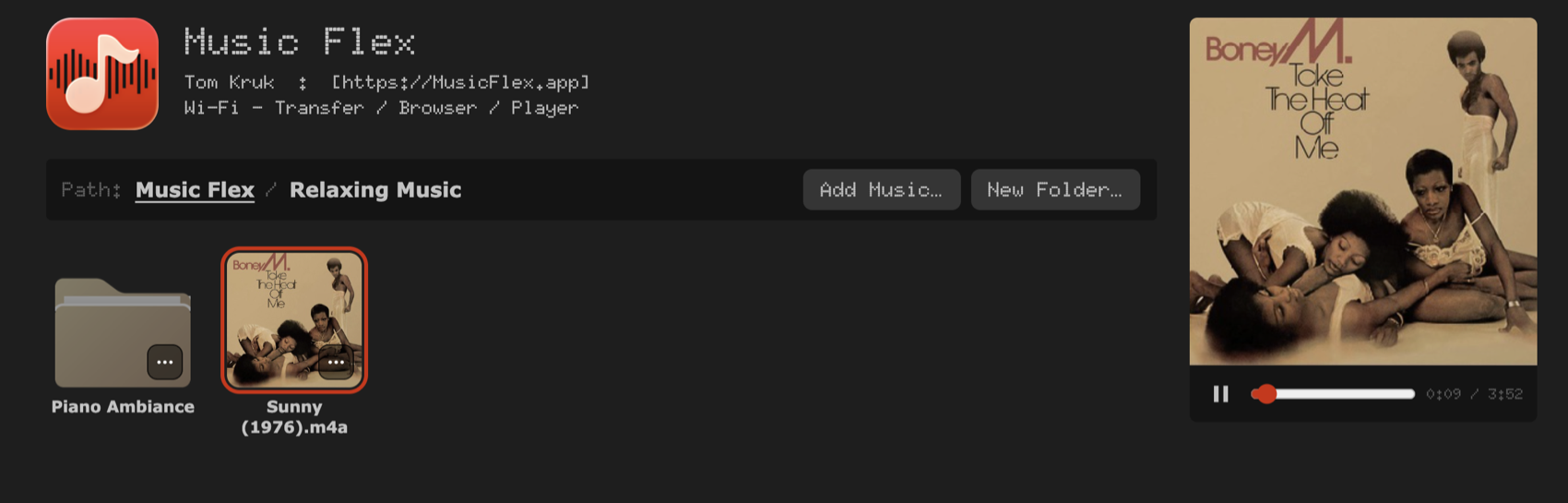
Drag whole folder trees in. Move, rename, download a folder as a zip, delete. Click a track and it plays in the browser, album art and all.
It's plain HTTP over your own LAN. That's the whole trick — nothing to install on the other end, nothing routed through a company, and no reason for a Windows machine to be a second-class citizen. Uploads stream straight to disk, downloads come back with Range requests so scrubbing works, and the transfer log tells you exactly what landed.
Files
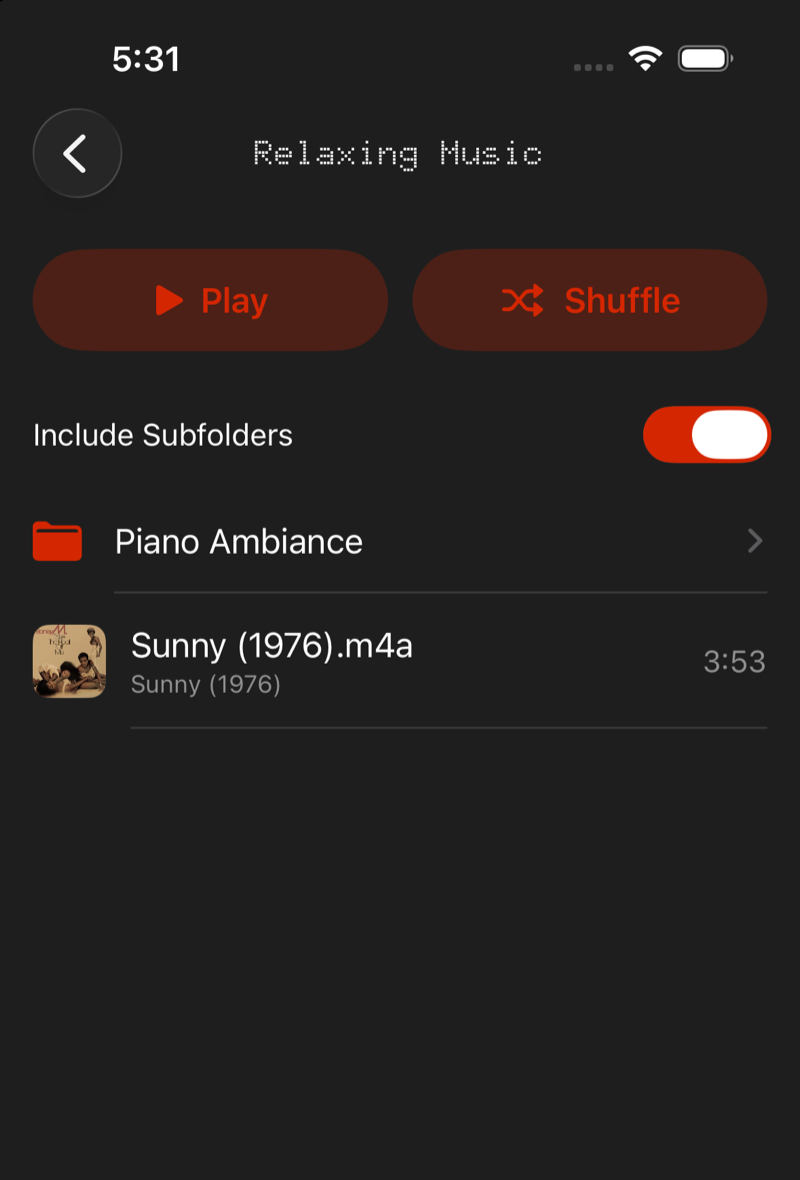
Every folder is playable on its own terms. Hit Play or Shuffle at any level of the tree, and the Include Subfolders switch decides whether that means the twelve tracks in front of you or the four hundred beneath them.
Untagged files aren't second-class either — a file with no metadata still shows up, still plays, and still lands in Recently Added. If you want to fix a title or an artist, you can edit it in the app without touching the file on disk.
The player
Reversible shuffle that remembers the original order, and repeat off / all / one that survives a queue change.
Full-screen cover art on a gradient pulled from the artwork itself — floored and lifted so a dark sleeve never turns the screen into a void.
A floating bar that follows you through the library and swipes away into the full screen when you want it.
A real landscape layout rather than a stretched phone screen, on both iPhone and iPad.
One canvas, one accent, sampled from the icon. No theme switcher, because the thing was designed for exactly one look.
Aeroplane mode, a tunnel, a dead SIM, a cancelled subscription — none of it touches a library that already lives on the device.

About
Lorem ipsum dolor sit amet, consectetur adipiscing elit, sed do eiusmod tempor incididunt ut labore et dolore magna aliqua.
Ut enim ad minim veniam, quis nostrud exercitation ullamco laboris nisi ut aliquip ex ea commodo consequat. Duis aute irure dolor in reprehenderit in voluptate velit esse cillum dolore eu fugiat nulla pariatur.
Excepteur sint occaecat cupidatat non proident, sunt in culpa qui officia deserunt mollit anim id est laborum. Sed ut perspiciatis unde omnis iste natus error sit voluptatem accusantium doloremque laudantium.
— Tom
Status
MusicFlex is built and being packaged for beta testing right now. If you want your own files back on your own phone, this is the moment to put your hand up.
iOS 18 or later · iPhone and iPad